Two fields get you in: the Malaysian mobile number you signed up with and your password. Balance, bonus wallet and withdrawal status all open from the lobby once you are through, so you never need a second login for the cashier.
- Your mobile number is the only login ID. There is no separate username to remember.
- Codes and password resets go to that same number, so keep the SIM reachable.
- Browser and app share one account, one password and one wallet.
Four Moves From the Login Screen to the Lobby
The flow is short enough to do on a phone while standing in a queue, provided you type the details the way they were set.
-
Open the sign-in page
Go straight to wau88.club and open wau88 Login, or tap Login in the menu. On a phone, bookmark it once and open from the bookmark, not from a link inside an SMS.
-
Fill in your number
Type the mobile number from sign-up with no spaces or dashes. That number is the whole login ID, and any verification code we send goes there and nowhere else.
-
Enter the password exactly
Passwords are case-sensitive, so glance at the caps key before you submit. If the browser has filled an older password automatically, clear the field and type it yourself instead.
-
Check that you are in
The lobby opens with your balance in the corner. Have a quick look at the bonus wallet before claiming anything, and log out if the phone or laptop is not yours.
Passwords, Numbers and Habits That Hold
Most login trouble is not technical. It comes from a saved password nobody updated, a phone number that changed quietly, or a link that was never ours. Five habits cover nearly all of it.
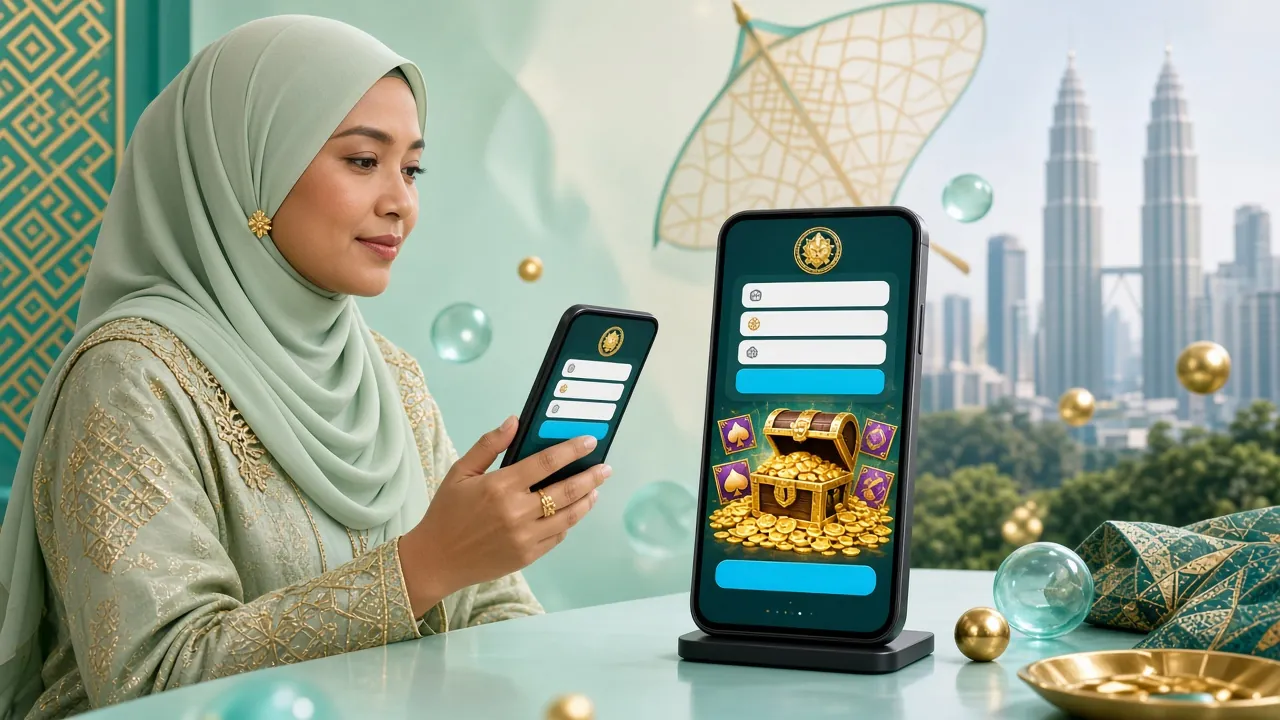
Browser, Phone or App: Picking Your Door
The account is the same on every route, so choose by where you are and how long you plan to stay, not by which one looks newer.
| Route | What you enter | Best for | Watch out for |
|---|---|---|---|
| Desktop browser | Mobile number and password | Long sessions at a live table or a full slot run, with cashier and history open in separate tabs | A shared office or hostel computer keeps the session after you close the window unless you log out |
| Mobile browser | Mobile number and password | A quick balance check or a single spin while you are out, with nothing to install | Small keyboards mistype the number, so zoom in and read it back before submitting |
| wau88 App | The same number and password, on the app's own screen | Playing on mobile data and switching across to Touch ’n Go eWallet or DuitNow for a top-up | Version 2.0.20 is a 36 MB download and needs Android 8.0 or newer |
| Remembered session | Nothing, until you log out | Your own phone or laptop, where nobody else taps in during the day | Clearing browser data wipes it, and you will be asked for the password again |
One account, one wallet. A top-up made in the app shows in the browser lobby the moment you refresh, and the same goes for the casino tables, slots and fishing rooms.
Get the App Browse the casinoWhen the Password Will Not Take: Six Faults and Fixes
Work down this table before you reset anything. Three of the six rows have nothing to do with your password at all.
| What you see | Why it happens | What to do |
|---|---|---|
| Password rejected, though your phone saved it | Autofill is pasting a password from before your last reset, or the keyboard has capitalised the first letter. | Clear the field completely, type it by hand with caps lock off, then submit. After a successful sign-in, let autofill save the new version. |
| The verification code never arrives | SMS filtering, a full message inbox, Do Not Disturb on the SIM, or a number that is no longer the one on file. | Wait out the resend timer, check spam and the second SIM slot, then request once more. Still nothing after a few minutes, open live chat with your registered number ready. |
| You press Log In and the form simply clears | Cookies are blocked for the site, you are in a private window, or an extension is stripping the session. | Allow cookies for wau88.club, leave incognito mode and pause content blockers, then try again. The account itself is fine. |
| You are in, but the lobby keeps spinning | A cached copy of an older page, or a connection that keeps flipping between Wi-Fi and mobile data. | Hard refresh the page, settle on one connection type and update the browser. If it still hangs, the games are loading slowly on your line. |
| App rejects details that work in the browser | An older APK sitting on the phone, or a handset below the supported Android version. | Remove the old file and install version 2.0.20 from the App page. It is 36 MB and runs on Android 8.0 and up. Sign in again with the same two fields. |
| Remember Me stops working after a while | Browser clean-up tools, storage limits, or somebody clearing history on a shared device. | Tick Remember Me again at the next sign-in, exclude the site from automatic clean-up, and keep the password in a manager you control rather than a screenshot. |
If two rows describe the same session, fix the browser one first. A cookie problem can imitate a wrong password quite convincingly.
Locked Out at Midnight: The Reset Route
When the password is genuinely gone, stop guessing. Repeated guesses on a phone keyboard only make you doubt a password that was probably right.
Verification for a number change uses a National ID Card, passport or driving licence, the same documents requested before your first withdrawal. Read the withdrawal and verification guide if you want the full list in one place.
Questions Asked at the Login Screen
What exactly do I type in the number field?
The Malaysian mobile number you registered with, digits only, no spaces or dashes. That is the only login ID we use, so there is no separate username to hunt for. If you signed up on a number you no longer carry, the account sits under the old one until support moves it.
Why does my password fail when I know it is correct?
Nine times out of ten it is autofill or the keyboard. Clear the field, type it by hand and check caps lock. The next usual cause is a reset done on the app but never repeated in the browser, which leaves a stale saved copy. Reset once and save the new password cleanly.
I forgot my password and the SMS never comes
Check the message folder, any spam filter and the second SIM slot, then wait for the resend timer before asking again. If nothing lands within a few minutes, the number on file is probably not the one in your hand. Live chat verifies you and updates it at any hour.
Can I stay logged in on a shared phone?
Tick Remember Me only on a device you alone use. A phone that gets passed around the house, a shop counter tablet or a cybercafé machine should never hold an open session. Log out through the menu rather than closing the tab, and change the password if you suspect someone else has been in.
Does the app use the same login as the website?
Yes. One account, one wallet, one password. Download the Android app from the App page, sign in with the same number, and your balance and bonus progress are already there. A reset done in the browser works in the app straight away, with no second registration.
Nothing here worked. Who do I talk to?
Open 24/7 live chat and describe what the screen actually does, not what you expected it to do. Have your registered number and your last deposit amount ready; those two details let the team find the account quickly. Never send your password, and never accept login help from a link in a random message.